


Softec Sample Box for Architects and Designers

The Softec Sample Box for Architects and Designers gives specification professionals a physical reference for assessing tile colour, finish, texture and surface character before a product is written into a project schedule. For Softec™, this matters because tactile quality, stone-inspired movement and dimensional relief cannot be judged accurately from photography or renders alone.
Show Tile provides a dedicated Designer’s Sample Box Request Form exclusively for designers and architects. The most useful workflow is to compare the tile with grout, joinery and adjoining finishes, assess the surface under project lighting, record the approved selection and confirm the exact product before procurement.
What Is the Softec™ Sample Box for Architects and Designers?
The Softec™ sample box is a professional material-sampling tool for architects and interior designers who need to review physical tile surfaces before specification. Show Tile currently promotes a sample box for designers and architects, while the request form allows professionals to provide project requirements and customise the box for a more relevant material review.
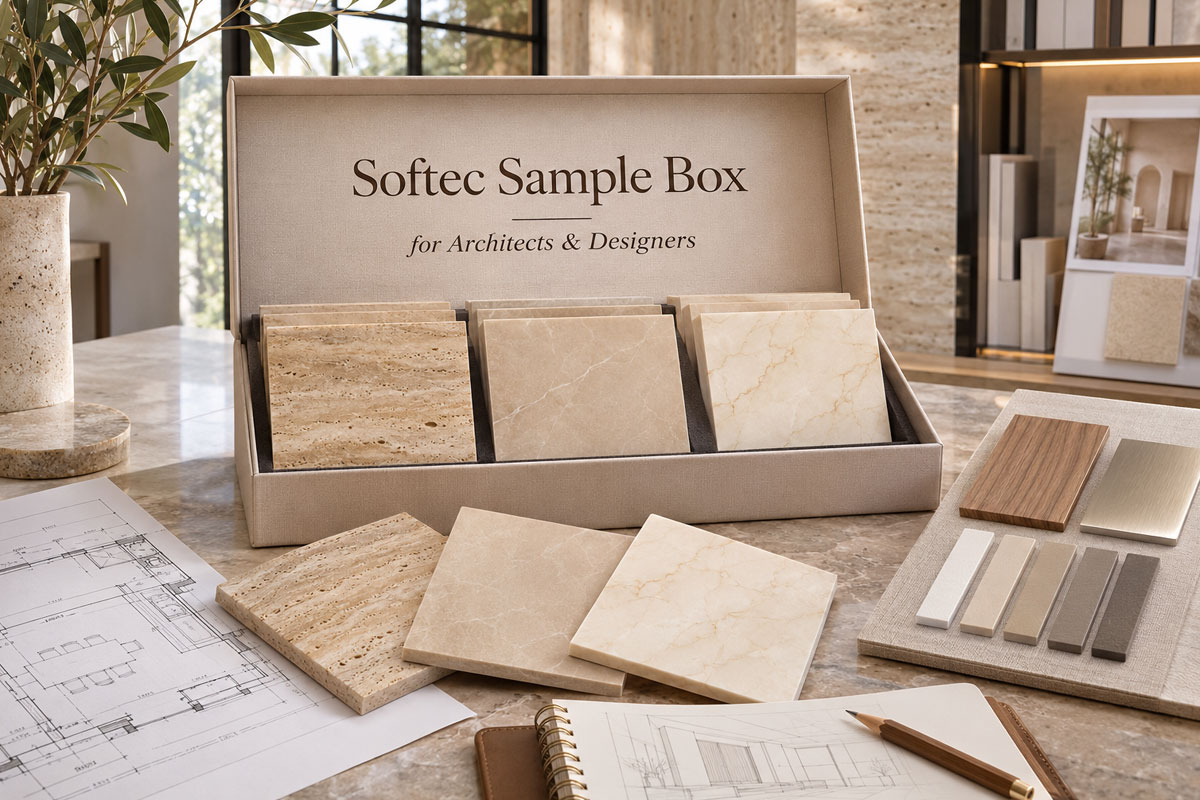
Softec™ samples support confident material selection
Why Does a Physical Softec™ Sample Matter?
Softec™ is a porcelain surface technology combining a soft matt surface, P3 slip resistance when wet, easy-clean performance and stone-inspired visual depth. A photograph can show colour and pattern, but it cannot communicate tactility or reliably reproduce the way surface relief responds to light.
A physical sample allows the project team to check:
- soft matt surface feel;
- stone movement and tonal variation;
- surface relief and shadow;
- colour under natural and artificial light;
- relationship with grout and adjoining finishes.
The sample should therefore be treated as a design and specification reference, not simply as a colour swatch.
What Should Architects and Designers Evaluate on a Softec™ Sample?
A useful review checks the tile as part of the complete interior palette. Architects should assess finish, tile format and intended application, while interior designers should compare colour, texture and visual weight with materials that will remain visible in the completed space.
How Should Surface Finish and Colour Be Reviewed?
Start with the finish. “Soft touch” describes the tactile quality of Softec™ rather than a flexible tile body. Run a hand across the sample, then view the surface from different angles to understand sheen, texture and any three-dimensional relief.
Place the sample beside cabinetry, benchtops, timber, paint, metal finishes and sanitaryware. Review the group in daylight and under proposed artificial lighting. For directional stone-look designs, rotate the sample before approval because pattern direction can change the architectural rhythm of a wall or floor.
Why Should Grout Be Included in the Material Board?
Grout is part of the finished tile composition. A close grout tone can soften the joint grid, while a contrasting grout can emphasise tile format and layout. Smaller strip pieces and mosaics create more visible grout joints than large-format field tiles, so grout should be reviewed with the porcelain sample.
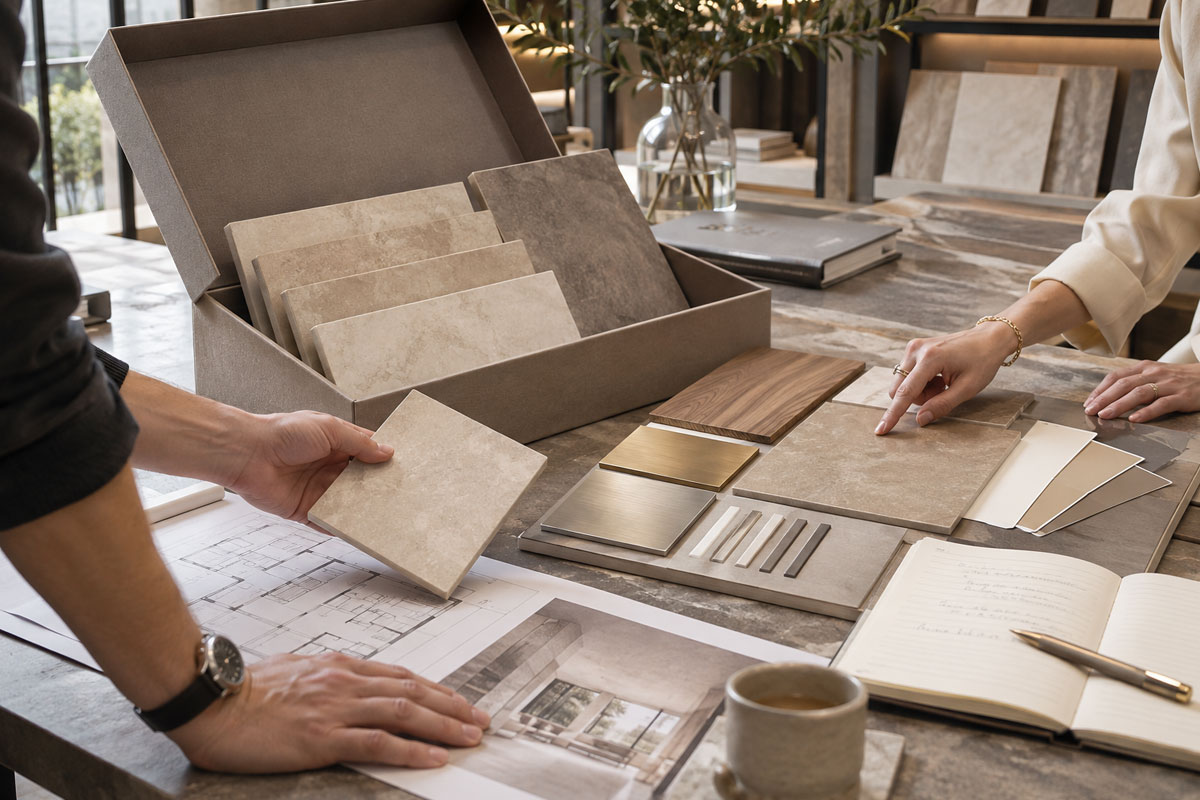
Physical samples help compare texture, colour and finish
A practical material board may include:
- Softec™ porcelain sample;
- grout sample;
- joinery or timber sample;
- benchtop or stone;
- metal finish;
- paint or wall finish.
How Does the Sample Box Support a Tile Specification?
The sample box becomes valuable when physical approval is translated into a clear tile schedule. A sample can establish the preferred appearance, but the written specification must still identify the exact product, colour, finish, format, application and installation location.
After sample approval, record:
- collection and colour;
- exact finish and tile format;
- wall or floor location;
- pattern or orientation where relevant;
- grout selection;
- approved sample reference;
- technical information required for the application.
The Softec tile specification guide provides the next step for connecting sample approval with product scheduling, ordering and handover. A collection name alone is not enough when a range contains several colours, formats or surface treatments.
Which Softec™ Collections Should Be Compared During Sampling?
Show Tile’s Softec™ range currently presents Travertino, Bottocino and Crema Marfil as stone-inspired porcelain directions. Each collection raises different specification questions, so the sample review should focus on the variables that can materially change the installed result.
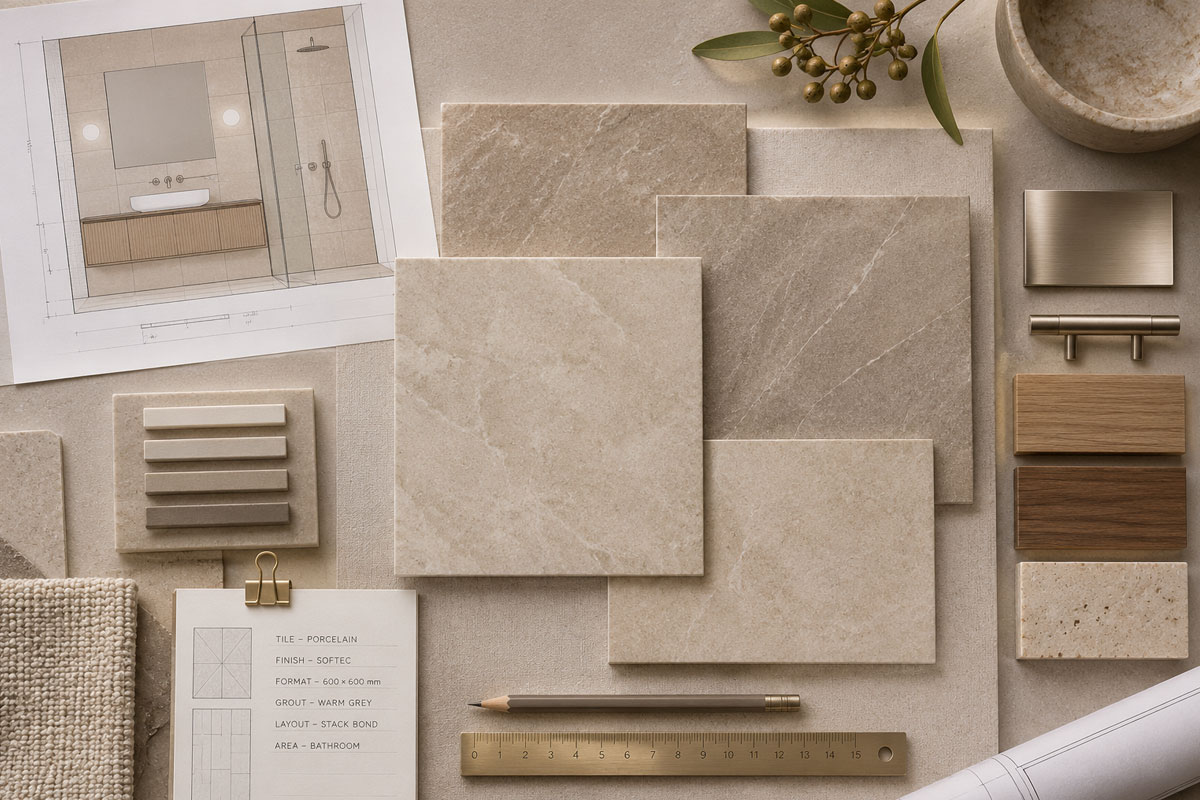
Architects can review Softec™ surfaces before specification
What Should Be Reviewed With Travertino?
Travertino Softec™ is a travertine-look porcelain collection available in White and Beige, with Vein and Cross pattern directions. The current Softec™ product information lists a 600 × 600 mm format for wall and floor applications.
The Travertino Softec tiles guide helps clarify whether a more linear Vein direction or a less directional Cross design better supports the architecture. Review several faces where possible, then confirm colour, pattern direction and orientation in the tile schedule rather than specifying only “Travertino”.
What Should Be Reviewed With Bottocino?
Bottocino Softec™ combines stone-look porcelain field tiles with coordinated strip formats. If both are intended for the same room, assess field tile scale and smaller-format detailing together.
The Bottocino Softec tiles article provides context for coordinating field surfaces and strip detailing. Compare the main tile, proposed strip format and grout together; the key question is whether the change in scale and grout-joint density supports the intended elevation or feature area.
What Should Be Reviewed With Crema Marfil?
Crema Marfil Softec™ is stone-look porcelain offered in Beige and White, with current Softec™ field formats of 600 × 600 mm and 600 × 1200 mm. Show Tile also lists a 3D Concave 600 × 1200 mm textured option separately.
The Crema Marfil Softec tiles guide explains why the soft matt field tile and 3D Concave surface should not be treated as interchangeable finishes. Review dimensional texture under directional light because relief creates highlights and shadows, then confirm the exact finish and application in the schedule.
What Should Be Compared During the Material Review?
| Specification Area | What to Review | Why It Matters |
| Colour | Undertone and tonal variation | Supports palette coordination |
| Finish | Soft matt character | Affects tactility and sheen |
| Pattern / Texture | Direction, movement and surface relief | Controls rhythm, shadow and emphasis |
| Format | Tile dimensions and orientation | Affects layout and grout grid |
| Grout | Joint colour and width | Controls visual continuity |
| Lighting | Daylight and artificial light | Changes perceived colour and relief |
| Application | Wall, floor and wet-area location | Prevents specification errors |
How Should Softec™ Samples Be Reviewed for Wet Areas?
A physical sample can confirm appearance and tactile preference, but it does not replace technical verification. For bathrooms and other wet areas, confirm the selected finish, intended location, relevant slip performance, drainage, grout, waterproofing and installation requirements.
Show Tile describes Softec™ as providing P3 slip resistance when wet. The rating is useful specification information, but it does not automatically establish suitability for every shower floor or wet environment. Keep the assessment product-specific and project-specific.
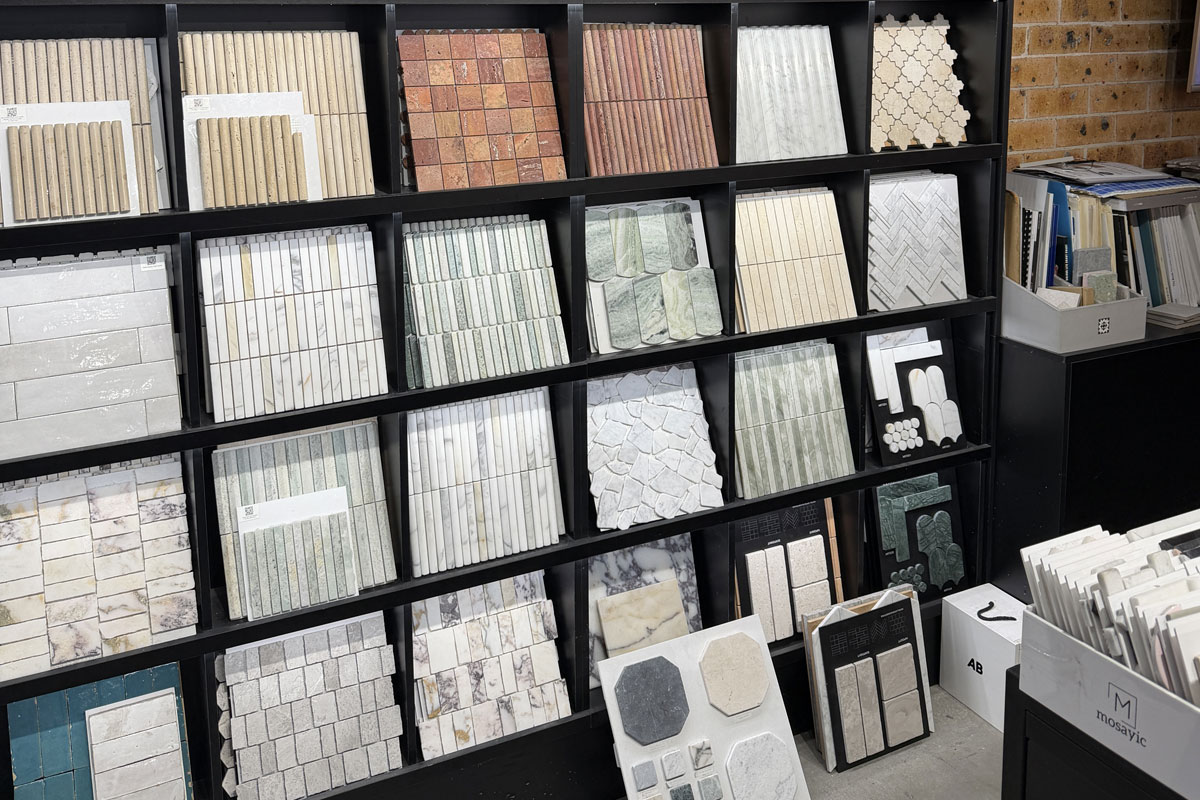
Show Tile sample boxes simplify professional tile selection
For dimensional feature walls, also resolve junctions around niches, mirrors, cabinetry, tapware and edge trims. Surface relief can make poorly planned cuts or terminations more visible.
What Is the Best Workflow for Using the Softec™ Sample Box?
A disciplined workflow keeps design intent connected to procurement.
- Define the application. Identify the room, wall or floor zone and whether wet-area performance is relevant.
- Shortlist the Softec™ range. Compare collections, colours, formats and finishes that suit the project.
- Request physical samples. Use Show Tile’s Designer’s Sample Box Request Form, provide project-specific requirements and customise the box where useful.
- Review under project lighting. Check daylight, artificial light and directional lighting for textured finishes.
- Build the material board. Add grout, joinery, benchtops, metals, paint and other visible finishes.
- Record the approved selection. Link the physical sample to the tile schedule and room reference.
- Confirm before ordering. Recheck current product details, quantity, availability and delivery requirements.
An older sample should not be treated as confirmation of current stock or as a substitute for final product verification.
Who Should Request a Softec™ Sample Box?
The sample box is intended for design professionals who need a reliable physical reference during specification. Architects can use samples for material schedules and design coordination; interior designers can use them for palette development and client presentations; specifiers can connect approved finishes to product documentation.
Design-led project teams also benefit when the approved sample remains traceable through procurement and installation. The goal is to reduce ambiguity between what was presented, what was documented and what is ultimately ordered.
Request Softec™ Samples Before Final Specification
A strong tile specification starts with physical review followed by precise documentation. Show Tile’s Softec™ collection gives architects and designers a focused group of stone-inspired porcelain surfaces to compare, while the Designer’s Sample Box Request Form provides a direct route for requesting material samples.
Use the sample box to assess colour, soft matt tactility, pattern direction, surface relief and grout relationships within the complete material palette. Once a selection is approved, record the exact product details and confirm technical suitability and current availability before ordering. This workflow keeps the approved design intent connected to the finished tiled surface.
Contact Show Tile
📍 Showroom: 65 Canterbury Road, Bankstown NSW 2200, Australia
📞 Phone: +61 2 9709 5836
✉️ Email: sales@showtile.com.au
🌐 Website: https://showtile.com.au/



